DealCoach

DealCoach/Features/Coach dashboard

What your members ask, at a glance

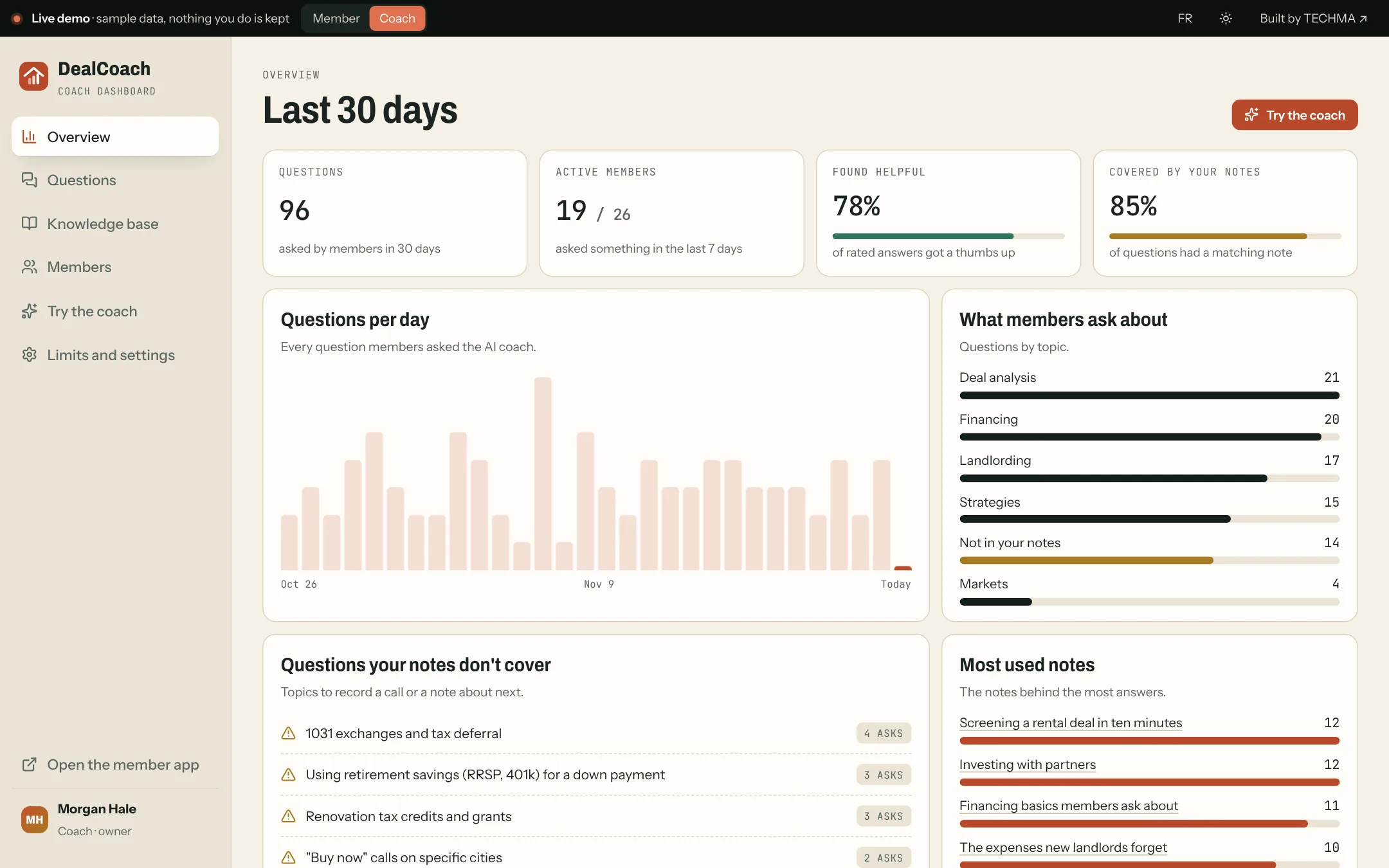
The dashboard turns every question into a picture of your program: how much members ask, about what, which notes answer them and whether the answers helped.

One click, no account. Ask the sample coach as a member, or open the coach dashboard. Everything is fictional and nothing you do is kept.

Coach dashboarddealcoach.techma.ai
The DealCoach coach dashboard with key figures, questions per day, topics, most used notes and gaps

The figures

  • Active members in the last 7 days
  • Questions asked in 30 days
  • Share of questions with a matching note
  • Share of rated answers that got a thumbs up

The charts

Questions per day over 30 days, questions by topic, and the notes behind the most answers. A spike after a webinar or a quiet week in summer shows at once.

Every question

The questions page lists what was asked, by whom, when, whether it was covered and how it was rated. Search by word or by member; filter by covered or not.

Questions

Asked before the first call

Are members' questions private?

Only the coach and their team see them, in the coach dashboard. In the demo every member is fictional.

Live demo

Ask it something a member would.

DealCoach is a working application, not a mock-up. Ask the sample coach about a duplex, a refinance or a first offer, open the notes behind the answer, then switch to the coach dashboard and see the question land.