DealCoach

DealCoach/Features/Sources under each answer

Every answer, with its sources

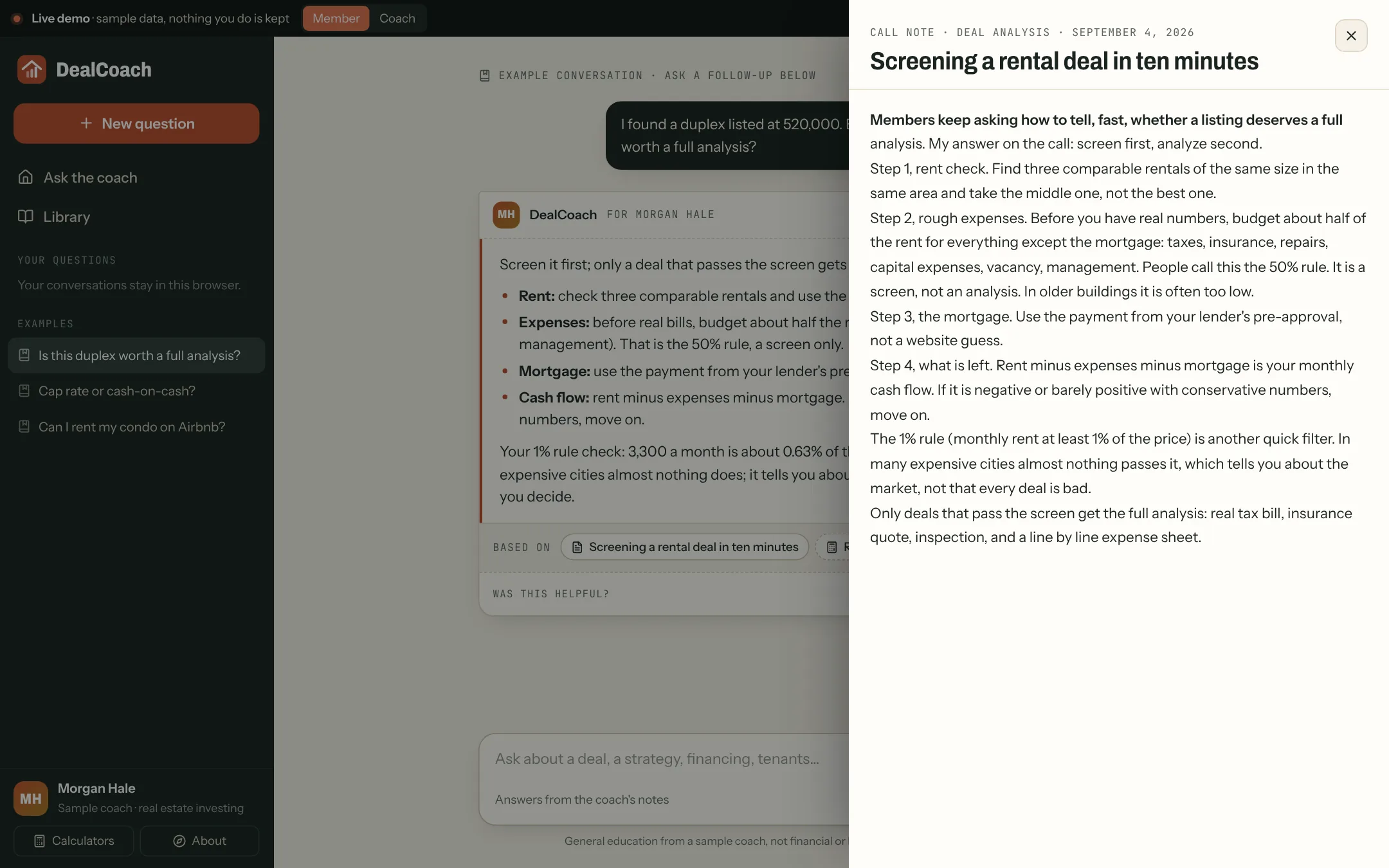
Under each answer, DealCoach lists the call notes it used, from zero to three. A click opens the note beside the chat, so a member can read the whole context.

One click, no account. Ask the sample coach as a member, or open the coach dashboard. Everything is fictional and nothing you do is kept.

Sources under each answerdealcoach.techma.ai
A call note opened beside the DealCoach chat, with its title, date and full text

Why sources matter here

Investors put real money behind what they learn. A member who can read the note behind an answer trusts it more, and catches the case where it does not fit their deal.

For the coach, sources show which notes do the work and which are never used.

What a member sees

  • The title and date of each note used
  • The note's full text in a side panel, without leaving the chat
  • "From the notes" when the answer came straight from a note without AI

Only real notes

The assistant can only cite notes that exist in your knowledge base. Any other reference is dropped before the answer is shown.

Questions

Asked before the first call

Can members see all the notes?

In the demo, yes: the library lists every note. In your version you choose: all notes, notes by plan, or sources only.

Live demo

Ask it something a member would.

DealCoach is a working application, not a mock-up. Ask the sample coach about a duplex, a refinance or a first offer, open the notes behind the answer, then switch to the coach dashboard and see the question land.